Memory card usb raw - Steps to restore files with 4Card Recovery from raw usb flash memory card
Step one: Download the program
Step two: Run the program on a Windows PC, connect your memory card/usb flash to PC. Select recovery files typs
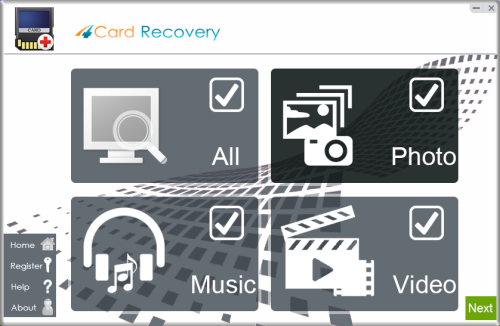
Step three: Select the drive or card that has become RAW. Then you want to restore files and run "recover"
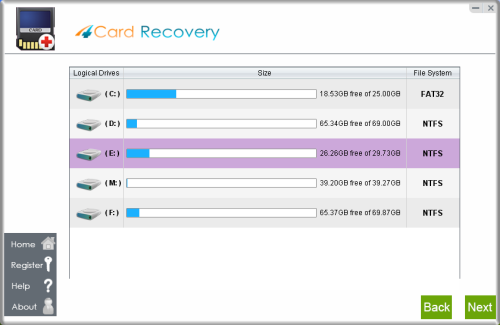
And it will start free file searching and disk scanning.
Step four: Select the file that you want to restore in the file list to be recovery.
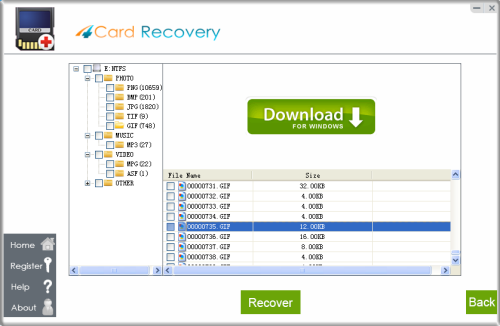
Step five: preview image by clicking "File Privew" on the right menu.
Save found files from raw drive or card. Better save it to the drive that does is not RAW error.
 Download free trial to restore files photos from raw drive Download free trial to restore files photos from raw drive
For hard disk became RAW file system - Steps to restore files with Data Recovery Software
Step one: Download the program for hard disk drive
Step two: Run the program on a Windows PC, select a recovery option to restore files
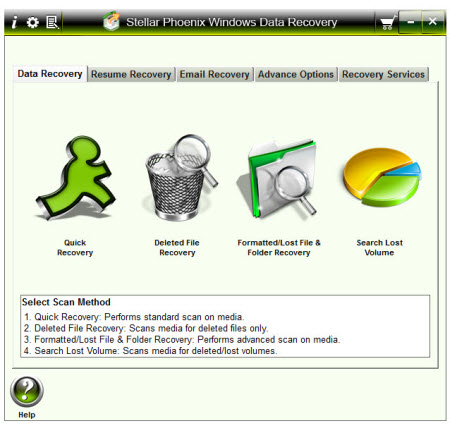
Quick Recovery
Step three: Select the drive or card that has become RAW. Then you want to restore files and run "recover"
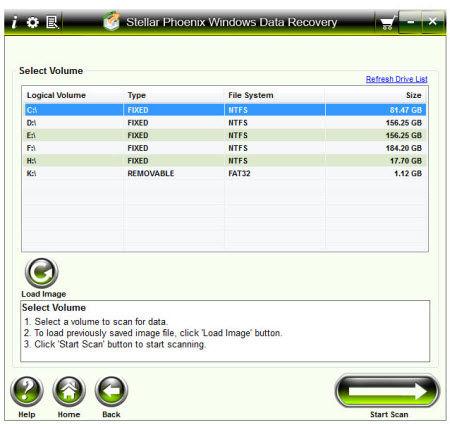
And it will start free file searching and disk scanning.
Step four: Select the file that you want to restore in the file list to be recovery.
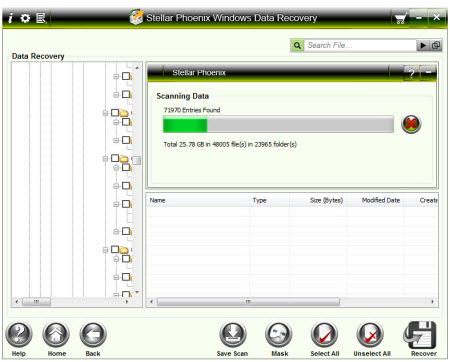
Step five: preview image by clicking "File Privew" on the right menu.
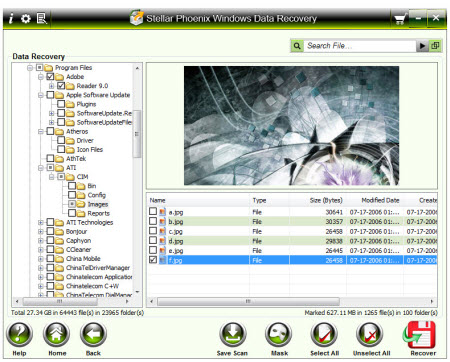
Download free trial to restore files photos from raw disk
How to use iCare Data Recovery Software to recover data off raw hard disk
Step one: Free Download the program
Step two: Run the program, select "Deep Scan Recovery"
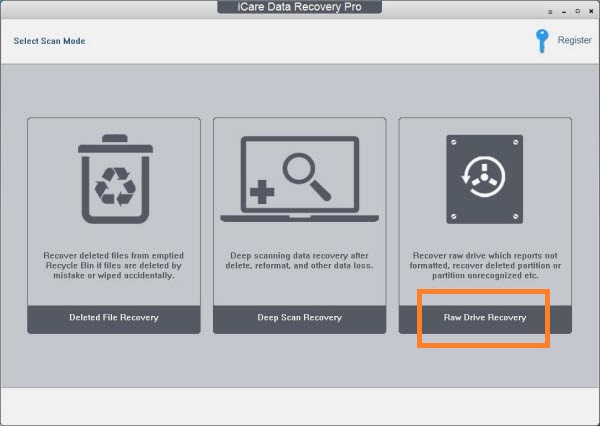
Step three: Select a partition that you want to restore files and run "recover"
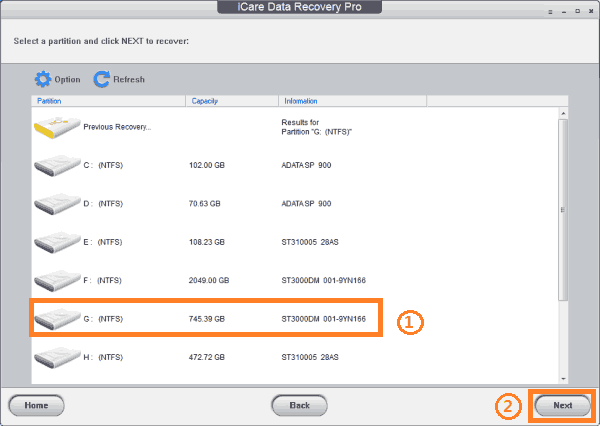
And it will start free file searching and disk scanning.

Step four: Select the file that you want to restore in the file list to be recovery.

Step five: preview image by clicking "File Privew" on the right menu.

Download a free trial now to restore files from raw drive |